See Every Word. Instantly.

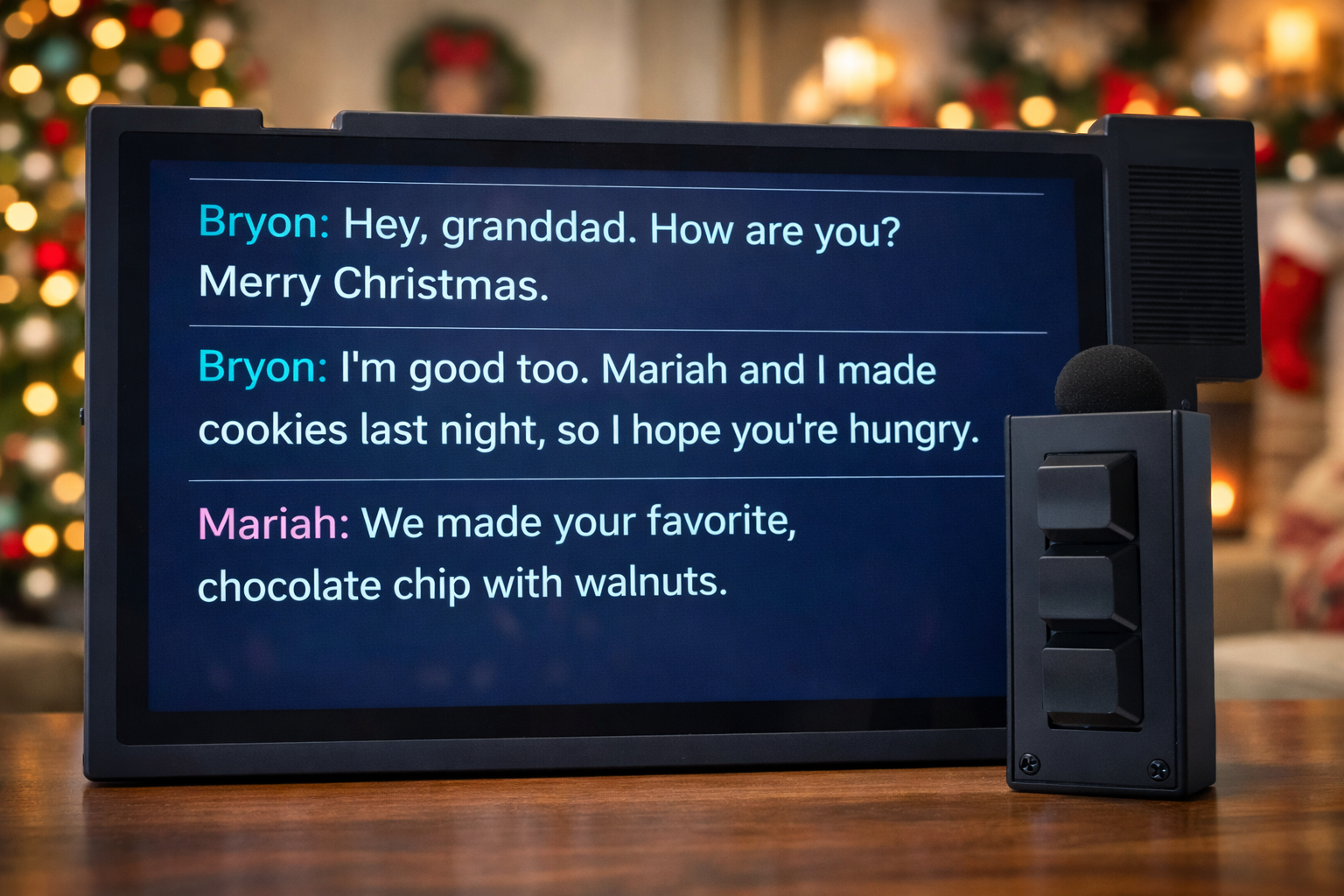
A simple, one-button captioning tablet
designed to help HOH seniors reconnect.

Try CaptionPad Today

60-Day Money-Back Guarantee

See It In Action

Watch how conversations come to life

Built for Simplicity

One Button

No menus. No setup.
Just press and hold to start captioning.

No Internet Required

Works without Wi-Fi.
Take it anywhere.

Dedicated Device

No distractions. No notifications.
Just conversations.

Easy Reading

Large font, clear speaker turns,
and speaker name labels.

How It Works

1

Turn It On

One power button.
That's it.

2

Press & Hold

Hold the wireless microphone button down and speak.

3

Read Instantly

Live captions appear on the large, easy-to-read screen.

Who It's For

By the time my grandfather turned 94, his hearing had declined dramatically. Even with hearing aids, he could barely hear. Mentally, he is sharp—he loves discussing politics, economics, engineering, and physics—but conversations had become frustrating. Our family had to yell to be heard, and he often apologized for not hearing which wasn't his fault.

With a background in speech technology, I felt there had to be a better solution. iPhone apps showed some promise, but they were too complex for someone who prefers simple, single-purpose devices—not screens filled with icons, menus, and pop-ups.

After almost two years of searching without success, I decided to build one myself. In my garage, with a 3D printer, a laptop, and plenty of jasmine boba breaks, CaptionPad was born.

My grandfather loves it. He's been able to reconnect with people in his life in a way he hadn't for quite some time. He lives with my mom, and it has made communicating with him much easier for her as well.

I've started this small tech company to help others reconnect in the same way we have with my grandfather.

Bryon
Bryon Mathias-Fuqua
Owner, CaptionPad
LinkedIn →

How CaptionPad Compares

Feature CaptionPad Phone Apps
Who SpeaksCaptions what speaker says (not the listener)Captions both sides
Device HandoffNo handoff neededMust hand phone back and forth
Design FocusDesigned for SeniorsDesigned for General Use
Speaker NamesYes, with labelsNo speaker names
Speaker Turn SeparationYes, clearly separatedNo turn separation
ComplexityOne buttonApp learning curve
Display Size10" dedicated screenPhone screen size
Internet RequiredNoUsually yes
Cognitive LoadLow, captions curated for easy readingHigh, captions un-curated
Recurring CostNoneCommon
DistractionsNoneNotifications

Common Questions

Does it record conversations?
No. CaptionPad does not record conversations.
Does it require internet?
No. CaptionPad works completely offline. You can use it anywhere.
Is it HIPAA compliant?
CaptionPad does not store personal information. Speaker names can optionally be stored for convenience.
How long does the battery last?
CaptionPad is designed for all-day use on a single charge. Both CaptionPad and the wireless microphone should be charged nightly before use similar to a mobile phone.
Is it covered by insurance?
Insurance coverage is not guaranteed. We recommend checking with your insurance provider.
What's your return policy?
60-day return policy for change of mind returns and equipment failure (not physically broken or damaged by user).
How loud does the speaker need to be?
Normal speaking volume. The microphone should be held 1-3 inches from the mouth for best results.

Bring Conversations Back.

Try CaptionPad Today
CaptionPad device in use

Get in Touch

Questions? We're here to help.

Contact Us